Introduction
Keeping track of classes, homework, deadlines and group projects is not easy. There are numerous productivity apps that can help students with staying organized, but not all apps are created equal, and definitely not for all students. If you have been facing the difficult setup process with Notion or slow performance on mobile devices, you’re not the only one. This article will take you through the 7 best Notion alternative for students that are simpler to start, much more flexible for the school life, and mostly free to use. By the end, you will get to know which one suits you the best as you study.
Table of Contents
Why Students Look for a Notion Alternative
While Notion is a great tool, it has a few major drawbacks that impact students in particular. The learning curve is the largest gripe. An understanding of blocks, databases, templates and page structures is essential before you can take a single lecture note. That time you spend in set-up is time that you are not spending on the real study.
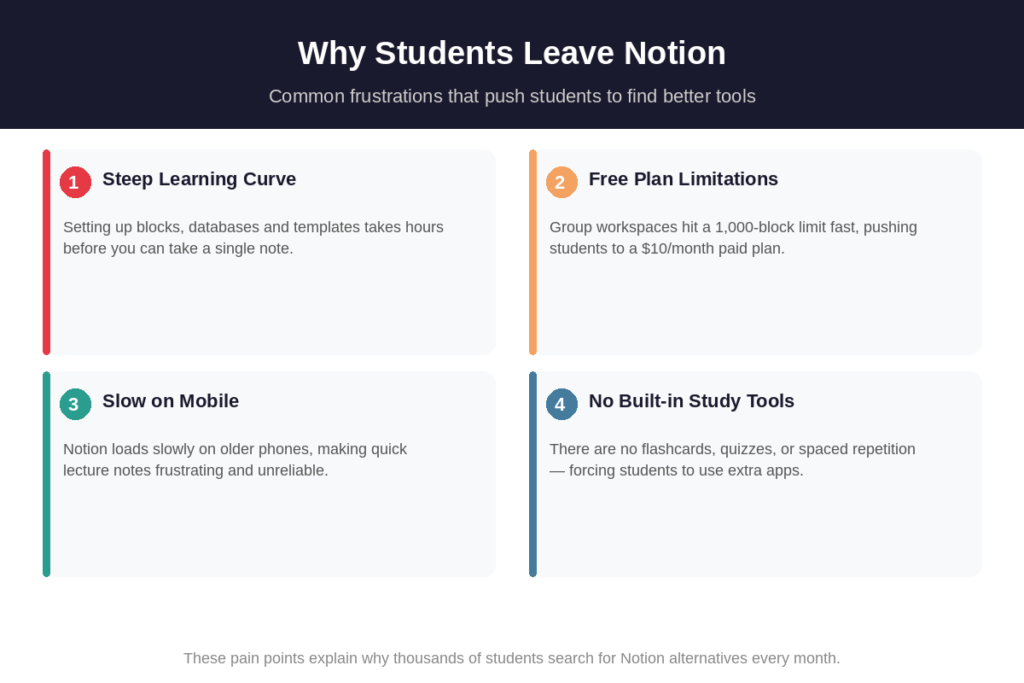
The free plan also imposes restrictions, causing student teams to be hit hard. When classmates are invited into a shared workspace, a 1,000 block limit is activated for all the users. That paywall comes on fast with a four-person group project. The Plus plan, which would include extra users per month, would cost $10 per user per month, or $480 per year for a four-person study group.
The mobile performance is another concern. Older devices load Notion slowly and large workspaces with linked databases can be very laggy. When students have to record a brief thought quickly during lectures, that’s a real problem. Notion does not have any built-in flashcards, quizzes, or spaced-repetition tools, so when you combine that with the fact that these are popular among students, you will understand why they are looking elsewhere.
What to Look for in a Student Productivity App
To make the best selection of an app, it’s useful to know what’s really important for students’ lives. It’s important to realize that not all productivity tools are designed for academic workflows. Let’s look at some of the important points to consider before signing up with a new platform.
- No “locked” free plan after a few notes (or after a few sequences)
- Easy set-up, no configuration is required before you can start coding.
- Sync Across Devices – Notes move between phone, tablet and laptop
- The ability to study offline (without a strong Wi-Fi connection)
- Group assignments and notes shared via collaboration.
- Lightweight and quick, particularly when mobile
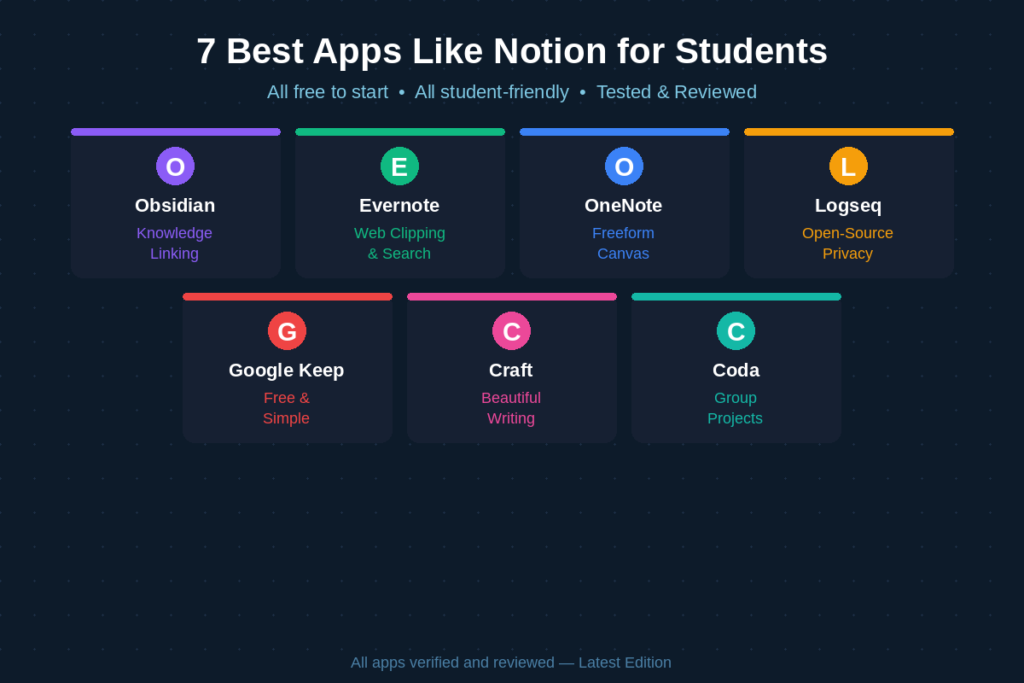
Based on those requirements, here are 7 apps that have the most boxes to check for students in 2026.
7 Best Notion Alternative for Students
1. Obsidian
Obsidian is a local-first note taking app that lets you keep all your notes as plain Markdown files on your device. The core application doesn’t require any cloud, account, or subscription. This is one of the most private and secure tools for the students who wish to have absolute control over their data.
The one that makes Obsidian different is its dual link system. Any note can be connected to another and you can visually see a graph of the connections between all of your ideas. If you’re a student taking courses in subjects such as law, medicine, or philosophy, this network of interconnected notes can do away with much of the cross-referencing that’s otherwise done with paper. It also operates off the internet so you can study anywhere without connection worries.
Free Plan: Yes — fully free for personal use
Paid Sync: $4–$8/month for cross-device sync
Pros: Full offline access, strong privacy, no data stored on servers, powerful linking
Cons: Requires comfort with Markdown, no native real-time collaboration, steeper learning curve than most
Best for: Students who love connecting ideas and building a personal knowledge base
2. Evernote
Evernote has been around for a number of years and is still one of the most effective note-taking applications to use when working with lots of research material as a student. One of its most impressive things is the search feature: You can search within PDFs, scanned items and even handwritten notes. If you have a lot of web articles, lecture slides, or research papers to save, it will save you a lot of time.
Free plan will allow you to sync over 2 devices and take unlimited notes. It also includes tags, notebooks, and reminders, making it a great tool for organizing notes by topic or deadline. The mobile app is robust and function offline, making it a reliable application for students on the move..
Free Plan: Yes — two device sync, unlimited notes
Paid Plan: ~$14.99/month for Personal (unlimited devices)
Pros: Excellent search including inside PDFs, reliable sync, strong tagging system
Cons: Pricing is expensive compared to alternatives, limited templates, aggressive prompts to upgrade on mobile
Best for: Students who save lots of research material and need powerful search
3. Microsoft OneNote
Unlike other note-taking applications, OneNote is totally different. It doesn’t use rigid blocks or Markdown, but rather a digital canvas on which you can add text, pictures, and handwriting anywhere on the page. Imagine a real notebook that has no end. If you are a student who takes notes on your tablet at lectures, this is an outstanding experience.
The organization of system is also user-friendly: notebooks have sections and sections have pages. There are no database, properties or configuration requirements. Just go to the app and begin writing. OneNote is totally FREE, and is available on Windows, Mac, iOS, Android, and on the web. If your school is already using Microsoft 365, you can use OneNote for free.
Free Plan: Yes — fully free across all platforms
Paid Plan: Included with Microsoft 365 (from $6.99/month)
Pros: Freeform canvas, excellent stylus support, zero setup required, great for handwritten diagrams
Cons: No database features, weaker structure than Notion, search is less powerful than Evernote
Best for: Students using tablets with a stylus or already in the Microsoft ecosystem
4. Logseq
Logseq is a free and open source note taking app based on a daily journal & outliner model. Like Obsidian, it keeps your notes locally on your device, you own your notes entirely. It can also be used to make connections between notes as well with a graph view, and bidirectional connections.
The key difference of Logseq from other notes is the way it looks at notes. Each piece of information is an information block, and each of these blocks can be linked, tagged, and queried. It is especially useful for students who enjoy creating organized knowledge systems in various subject areas. All core features of the app are free, optional encrypted sync is available.
Free Plan: Yes — completely free and open-source
Sync: Optional encrypted sync via Open Collective ($5–$15/month donation)
Pros: 100% private and local-first, powerful backlinks, built-in PDF annotation, completely free
Cons: Steeper learning curve, outliner format feels unfamiliar to new users, no real-time collaboration yet
Best for: Students who prioritize data privacy and enjoy open-source tools
5. Google Keep + Google Docs
Sometimes the simplest is the best. Google Keep is a streamlined note-taking app that allows you to make notes, checklists, reminders and voice messages in seconds, with color coding. It syncs automatically to all of your devices via your Google account, something that most students have. It is no setup to use for taking notes as fast as you think when you’re in lecture, for ideas, or to-do lists.
Google Keep is used in tandem with Google Docs to create a surprisingly effective free productivity suite. Capture quickly and remember with Keep, and longer essays, research notes and group documents with Docs. Google Docs also allows for real-time collaboration that’s more than any other app, which is great for group projects. They’re both offline and free.
Free Plan: Yes — both tools are completely free
Pros: Zero cost, instant setup, best real-time collaboration, works on every device
Cons: Google Keep lacks structure for complex notes, offline access requires manual setup in Docs
Best for: Budget-conscious students who want a free, no-setup solution for everyday notes
6. Craft
One of the most aesthetically pleasing note taking apps for 2026 is Craft. It is natively built for Apple devices, which equates to feeling fast and smooth on Mac, iPhone, and iPad. Writing is clear and unfussy, students who prefer to concentrate without the distractions of clutter will love this.
Craft allows you to create structured notes, with blocks, backlinks, and document nesting, to make the notes easily navigable. Additionally, it provides you with a solid free plan with limitless documents on a single machine. Craft is one of the best for students who take a lot of notes and essays, and desire their workspace to look good.
Free Plan: Yes — limited to one device
Paid Plan: $5/month for sync across all Apple devices
Pros: Beautiful design, native Apple performance, great for long-form writing, offline access
Cons: Best experience limited to Apple devices, free plan is single-device only, not ideal for Windows/Android users
Best for: Apple users who want a beautifully designed, distraction-free writing app
7. Coda
The most similar to Notion in terms of features is Coda, but it’s a bit more intuitive and has a faster learning curve. It combines documents, spreadsheets and automations into a singular “workspace.” Create task trackers, project timelines, meeting notes and databases – all within one Coda doc.
Coda comes into its own when used for student group projects. It enables real-time collaboration, comments and role-based permissions. Its automation options also enable you to create simple automation sequences, such as reminders for deadlines or task assignments, without having to exit the app. The free plan is quite generous for individuals, and is suitable for teams running research projects or club activities.
Free Plan: Yes — generous free tier for individuals
Paid Plan: $10/month per user for Teams features
Pros: Shorter learning curve than Notion, powerful automation, excellent for team projects
Cons: No offline access, can feel complex for simple note-taking needs, slower on mobile
Best for: Students managing complex group projects or research workflows
Quick Comparison: All 7 Apps at a Glance
Here is a side-by-side summary to help you decide quickly:
| App | Free Plan | Best Use Case | Offline |
| Obsidian | Yes | Knowledge linking & research | Yes |
| Evernote | Yes | Web clipping & search | Yes |
| OneNote | Yes | Microsoft & handwriting users | Yes |
| Logseq | Yes | Open-source & privacy focus | Yes |
| Google Keep + Docs | Yes | Simple & zero-cost notes | Limited |
| Craft | Limited | Beautiful writing experience | Yes |
| Coda | Yes | Group projects & databases | No |
Which App Is Right for You?
The best app will depend on what you didn’t like about Notion in the first place. A quick reference guide according to your student type.

- Heavy note taker, fond of linking ideas together → Go with Obsidian or Logseq
- If you’re a windows user with a stylus, Microsoft OneNote is the obvious choice.
- If you’re working in a team or research project, you can collaborate best in Coda.
- You don’t have much money to spend and you want something to come up ‘free of charge’ right now → Google Keep + Docs
- If you’re an Apple user and you care about beautiful focused writing, you’re in good company – Craft is for you.
- Saving lots of web content and research papers: Evernote’s search is unmatched.
No app is perfect for all students. The great news is that every one of the seven instruments on this list offers a complimentary plan, so you can gain access to a handful of, or perhaps two of, them prior to investing. The majority of students are able to discover their preferred workflow within a week of trying it out with a new tool.
Conclusion
While Notion is a powerful tool, it may not be the best choice for every student. If you’re looking for something quicker, simpler, more private or more suitable for collaborative study, there’s a strong Notion alternative for students here with your academic style. Obsidian and Logseq are great for deep thinker, OneNote is great on the tablets, Google Keep and Google Docs are great for free simplicity, Craft is great for design and Coda is great for teams to work out. Give it a whirl this week with one app, then give it a couple of days, and see if it helps you improve your study sessions.
FAQs
1. What is the best free Notion alternative for students?
For students in 2026, the top fully free alternatives to Microsoft OneNote are Google Keep + Google Docs. Both are free of charge, and feature unlimited notes, cross-device sync, and offline access. OneNote is great for structured notebooks, and Google Keep + Docs is perfect for capturing and collaborative writing.
2. Is Obsidian good for students?
Yes, Obsidian is great for students that learn complex topics and like to link ideas between topics. It is bidirectional, allowing you to develop a personal knowledge base over time, and has a graph view for linking. The main application is completely free and can be used even without internet. The primary requirement is that the user is comfortable with Markdown formatting.
3. Can I use Notion for free as a student?
Yes, Notion offers a free business plan for individuals. When you invite classmates to a shared workspace, however, a 1,000 block limit applies to all users of the workspace. This can result in student groups rapidly reaching the paywall. A few apps on this list have more flexible, free collaborative options.
4. Which app is best for group projects among students?
The best choices for student group projects are Coda or Google Docs. Collaborate, track tasks, and automate in real time—all in one place with Coda. Perfect for live co-editing, Google Docs is completely free to use. Both are easier to work on together or as a workspace compared to Notion‘s shared workspaces.
5. Does Notion have a student discount in 2026?
Yes, the Notion education program has a free student / educator plus option. To apply, please use a school email address at notion.so/product/notion-for-education. Nevertheless, there are certain alternatives in this list that may be easier and more appropriate for the day-to-day requirements of students.