Introduction
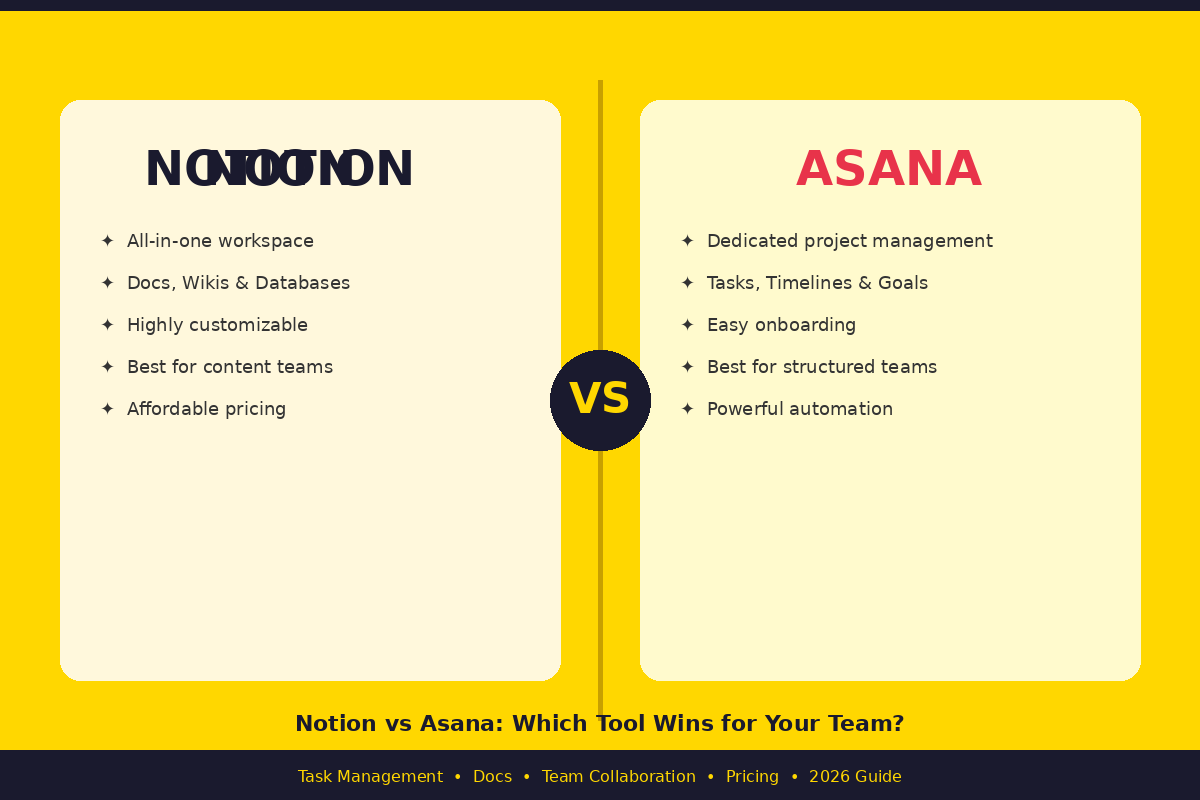
When it comes to finding the right productivity software, it can be hard to choose the right application, particularly when two of the best seem so different. The question of notion vs asana is a popular one in the project management landscape and not without reason. Both tools are widely used, trusted and powerful and are used by thousands of teams worldwide. They are constructed for different uses, however. One is a flexible all-in-one workspace. The other is a project management platform that is focused. We’ll give an overview of both tools for each category to help you decide which is best for your team.
Table of Contents
What Is Notion?
Notion is an all-in-one workspace where you can take notes, organize databases, create wikis, and manage tasks. Utilizes a block-based editor, where each fragment of content – be it text, images, table or embed – is a block that you can move and freely edit. It had a widespread appeal among individuals and startups but has advanced to being adopted by larger teams and companies.
Notion is ideal for teams with multiple projects and wish to handle both documents and work inside a single place. Perfect for teams of content, designers, engineers, and anyone else who desires a very customizable workspace. Notion provides you that freedom if you want to create your own systems and workflows.
What Is Asana?
Asana is a project management application that is designed to help teams track tasks, complete deadlines and deal with intricate workflows. Asana, on the other hand, isn’t trying to be everything to everyone, as Notion is. It’s limited to work management and does a good job of that. It provides timelines, task dependencies, automation rules, workload views and detailed reporting.
Operations teams, project managers, agencies, and enterprises with a need for clarity and structure thrive on Asana. If you’re on a team that works on several projects simultaneously and you need everyone to be aware of everyone else’s work and deadlines, Asana was designed just for you.
Notion vs Asana – Interface & Ease of Use
Notion’s Interface
Notion is simple and minimal, but has a learning curve. At first opening, there is a blank page — and it is up to you to determine how you want to organize it. This level of freedom is wonderful for advanced users, but can be daunting for novices. Before it really “clicks” you have to know what databases, views and block types are.
After learning the ropes, Notion is quite a powerful tool. You can customize dashboards, create wikis inside your company and even manage projects from one screen. While templates assist new users in getting started quicker, the tool will pay off in time if one makes it a point to learn the tool.
Asana’s Interface
Asana has a more organized user interface, which is easily grasped by most people who use it for the first time. Tasks, projects and teams are well structured from the beginning. You don’t have to create your system from scratch — Asana does that for you. This can speed up onboarding process, particularly for non-technical staff.
An interface that is smooth and user-friendly. List, board, timeline and calendar view can be done in just one click. Making the experience even smoother, in 2026, Asana’s AI assistant, Asana Intelligence, also enables you to summarize projects and create workflows.
Task Management Features
Task Management in Notion
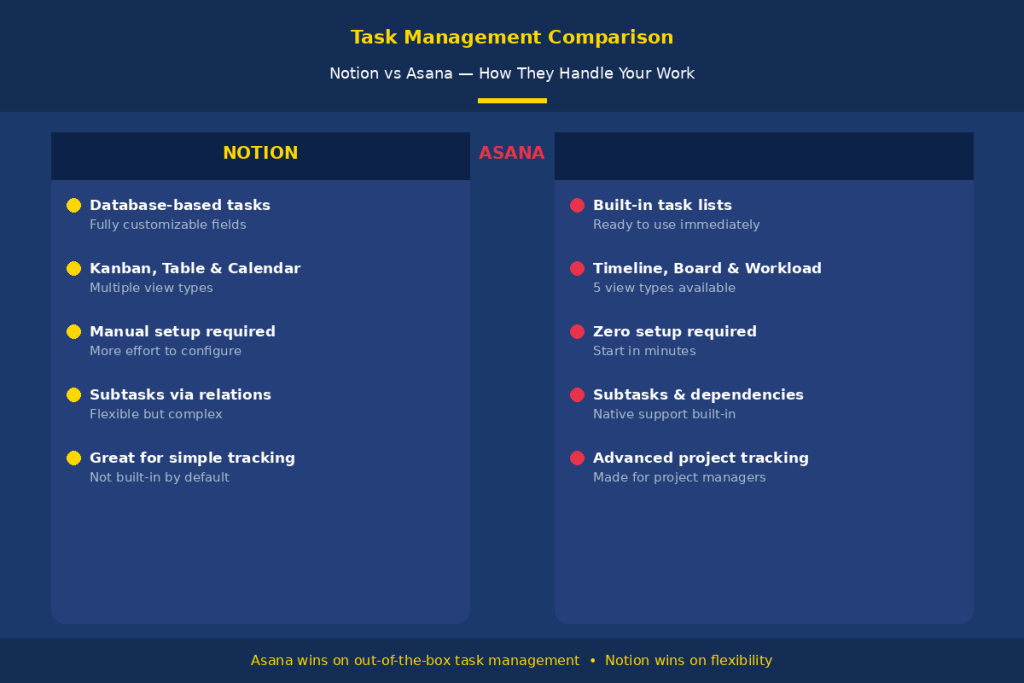
The database feature of Notion is used to manage tasks. Create a task database and view it in a Kanban board, calendar, table or list. It’s very flexible – you can attach the custom properties such as priority, assignee, due date and status to each task. It offers you complete control over the appearance and behaviour of your tasks.
The only drawback is that you will need to configure this yourself. Notion does not have an out-of-the-box task manager. Subtasks and dependencies are available, but must be set up manually. It’s great for basic task management, but may feel restrictive for more complex project management in comparison to Asana.
Task Management in Asana
Asana is designed to keep tasks in check. Built-in support for tasks, subtasks, task dependencies, due dates, assignees, and priority levels out of the box. You don’t have to setup anything; you can create a project and begin adding tasks right away.
On the higher plans, Asana has advanced views such as Timeline (Gantt chart), Workload, and Portfolios. These tools are particularly helpful for groups working on several projects concurrently. Asana’s automation rules have become much more powerful in 2026, allowing you to automate tasks, status changes, and actions without having to do them manually.
Docs & Knowledge Base
Notion for Docs
This is where Notion really excells. It is one of the best tools on the market to develop help documentation, wikis, and knowledge bases. You can create rich documents that include headings, images, videos, tables, code blocks and embeds. Within pages, you can nest pages so it’s easy to create a well structured company wiki.
In the case of Notion AI, it comes with business and enterprise plans and can serve to write, summarize, and search your entire workspace. Notion is on par with the best for teams that are heavily dependent on documentation. The marketing teams, product teams, and content creators will greatly appreciate the robust writing capabilities of Notion.
Asana for Docs
Asana is not intended to be a documentation tool. Can provide simple text descriptions in tasks and projects; can leave comments; can attach files. There is no proper editor for a page and wiki. Asana will not serve you if you’re going to need to write a great deal of documents or use a knowledge base.
It’s most commonly paired with Google Drive, Notion, or Confluence for most Asana users to document. Asana integrates with Google Drive, making it easy to embed Docs, Sheets and Slides directly into task descriptions. The actual creation of the document is still done outside of Asana.
Team Collaboration
Collaboration in Notion
Notion can be used collaboratively. Several different users can edit the same page simultaneously, and live cursors will appear, similar to Google Docs. Comments can be included on pages, as well as tagged and mentioned to fellow teammates, and tasks can be given directly on pages. This makes it great for collaborative writing and documentation projects.
Permission controls on Notion are rather good. Each page and workspace can have its viewers, commenters, and editors set. In 2026, Notion Calendar and Notion Mail have also become a part of the free plan, enabling teams to manage their schedules and communications in one central location.
Collaboration in Asana
Asana’s collaboration features are centered around tasks and projects. Tasks can be commented on, teammates can be tagged, files can be attached, and team inboxes can be set up. All the members of a team can view exactly what they are responsible for, and they can view the status of the overall project. This systematic process helps minimize misunderstandings and delays.
Asana integrates with Microsoft Teams and Slack, too, and you’ll get task updates and can create tasks straight from chat messages. This is a significant benefit for remote groups that are focused mostly on chat-based applications. While Notion is more free-form, allowing users to collaborate in a more organic and creative way, Asana’s collaboration model is more formal and process-oriented.
Integrations & Automations
The two tools have competent integration. Notion integrates with Slack, GitHub, Google Drive, Zapier, and more. It has database automation features that allows for multi-step triggers and scheduled actions. Notion AI also serves as a search hub for information across connected tools, making it a central repository for all your data.
Asana goes deeper on native automation. Its Rules feature enables you to automate repetitive functions with simple logic, such as assigning tasks when a project phase is reached, or notifying people when a deadline is missed. Asana integrates with more than 200 applications, such as Slack, Google Drive, Microsoft Teams, Zoom, Salesforce, and HubSpot.
Asana’s superior capabilities make it the best option for teams that depend on advanced automation routines across numerous tools. However, if you are more focused on documentation and knowledge management, Notion gets the job done well with most of the common use cases.
Pricing Comparison
There are four plans that you can choose from on Notion. The Free plan comes with a collaborative workspace, simple forms, Notion Calendar, Notion Mail, and database features with subtasks and dependencies. With the Plus plan, you get unlimited blocks, file uploads and basic integrations for $10/month (annual billing). The Business plan costs $20 per user per month and comes with access to premium integrations, private team spaces, and Notion AI. The enterprise pricing is negotiated.
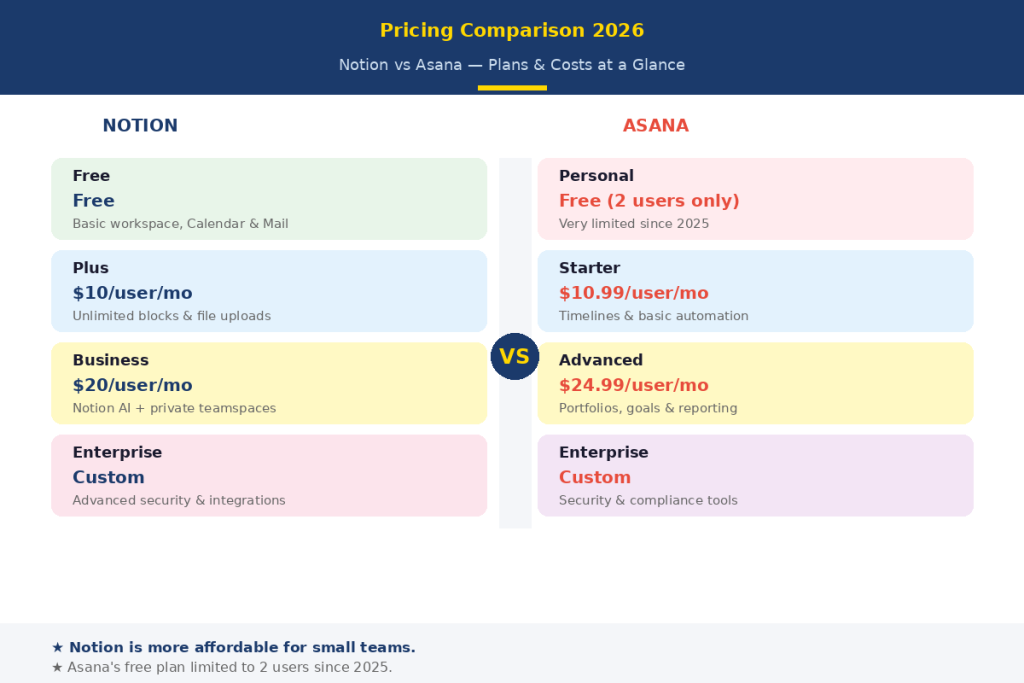
There are four Plans on Asana as well. In 2025, though, Asana got rid of its free plan, and teams that had been on the old free plan were forced to upgrade. The Starter plan is $10.99 per user per month and the Advanced plan is $24.99 per user per month (billed annually). Custom pricing is offered for Enterprise and Enterprise+ plans.
Notion is much cheaper for small teams and individuals. The price difference is smaller at larger team sizes, but in general, Notion provides more features for the price. The minimum of two seats required for paid plans also makes Asana a costly option for expanding teams.
Pros and Cons
Notion Pros & Cons
Pros:
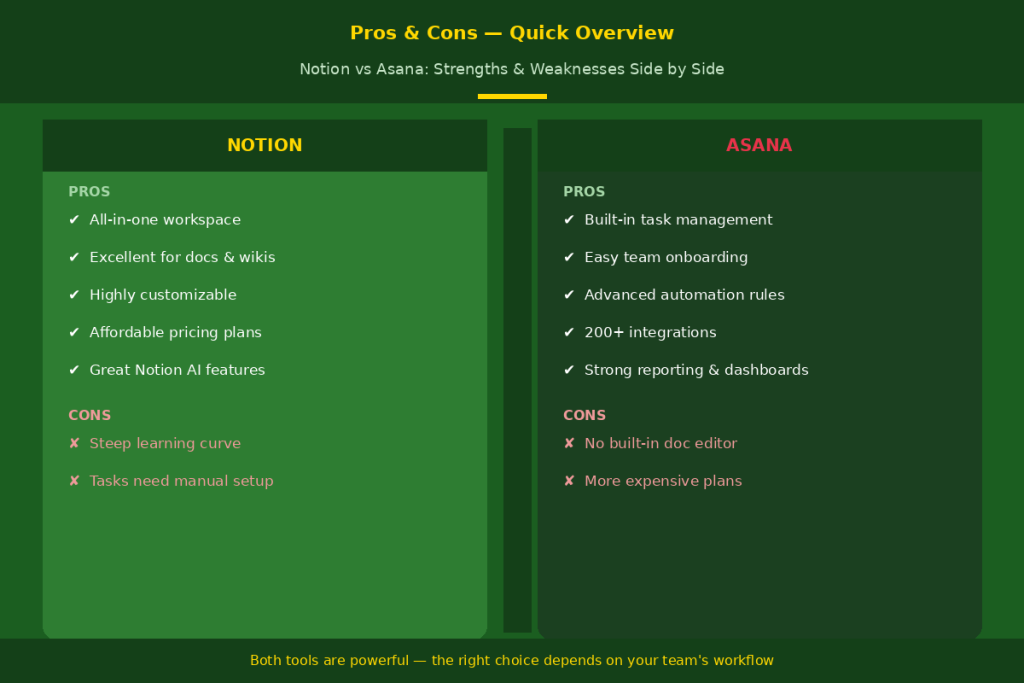
- All-in-one workspace — docs, tasks, wikis, and databases in one place
- Highly customizable and flexible
- More affordable, especially for small teams
- Excellent for documentation and knowledge bases
Cons:
- Steeper learning curve for new users
- Native task management requires manual setup
Asana Pros & Cons
Pros:
- Powerful, ready-to-use task and project management
- Easy to onboard new team members
- Advanced automation and reporting features
Cons:
- No built-in document or wiki editor
- More expensive, especially after the 2025 free tier reduction
Which Tool Should You Choose?
Notion for an all-in-one workspace tailored to your team’s needs. Ideal for content creators, startups, designers, engineers and teams who want to create documentation and work in the same place. If you’re a single user or a small team on a budget, then Notion’s free and Plus plans are a great value!
If you have complicated projects with many parties, dependencies, and deadlines, use Asana. It is ideal for structured accountabilities and reporting, such as operations teams, project managers, agencies, and enterprises. Asana is the better option for speedy onboarding and workflow automation.
Some teams even choose to use both tools (Notion for documentation, and Asana for project tracking). The two tools are free, so try out both of them before deciding.
Conclusion
When it comes to the question of Notion vs Asana, there’s no single correct or wrong solution. Both tools do great things, it’s just that they do different things. For docs, databases, and creative teams, Notion provides a flexible workspace that you can customize. Asana provides a robust project management system with structure for accountability and complex workflows. It’s all about what your team needs, depends on your budget and your work style. Try the free plans, and see both tools and choose the one that works best for your team’s workflows.
FAQs
Is Notion better than Asana for project management?
Asana is suited for structured project management. Notion is great for flexible project workflows that are driven by documents.
Is it possible to use Notion for team collaboration instead of Asana?
Partially. While notion delivers a robust set of tools for docs and basic tasks, it falls behind in terms of advanced workflows and accountability tools that are available in Asana.
Which is more cost effective, Notion or Asana?
Notion is cheaper. Notion’s free plan is more generous than both, and, of course, compared to Asana Starter ($10.99/user/month), Plus plan is $10/user/month.
Has Asana a document editor similar to Notion?
No, not at all. Asana doesn’t come with a doc editor of its own. Most teams rely on Google Drive or Notion in conjunction with Asana for documents.
Do you need to work with Notion AND Asana?
Yes. Numerous teams document in Notion and monitor projects in Asana. They are suitable as additional resources.