Introduction
Most professionals spend 5 to 10 hours per week on activities that seem important, but are actually very repetitive – the writing of status updates, tagging database records, summarizing meeting notes, and chasing deadlines. Thankfully, Notion AI Agents introduced in September 2025 with Notion 3.0 have been updated a couple of times since, and are designed to do just that. They operate independently throughout your workspace, gathering context from your pages, databases, Slack, Google Drive and calendar, and pretty much eliminating the busy work so you can concentrate on the work that counts.
Table of Contents
What Are Notion AI Agents?
AI Agents are independent AI workers within your Notion workspace, created by Notion AI. Unlike the first-generation Notion AI that merely took one-off tasks, Agents can handle full projects, doing their tasks without you having to manually click each step.
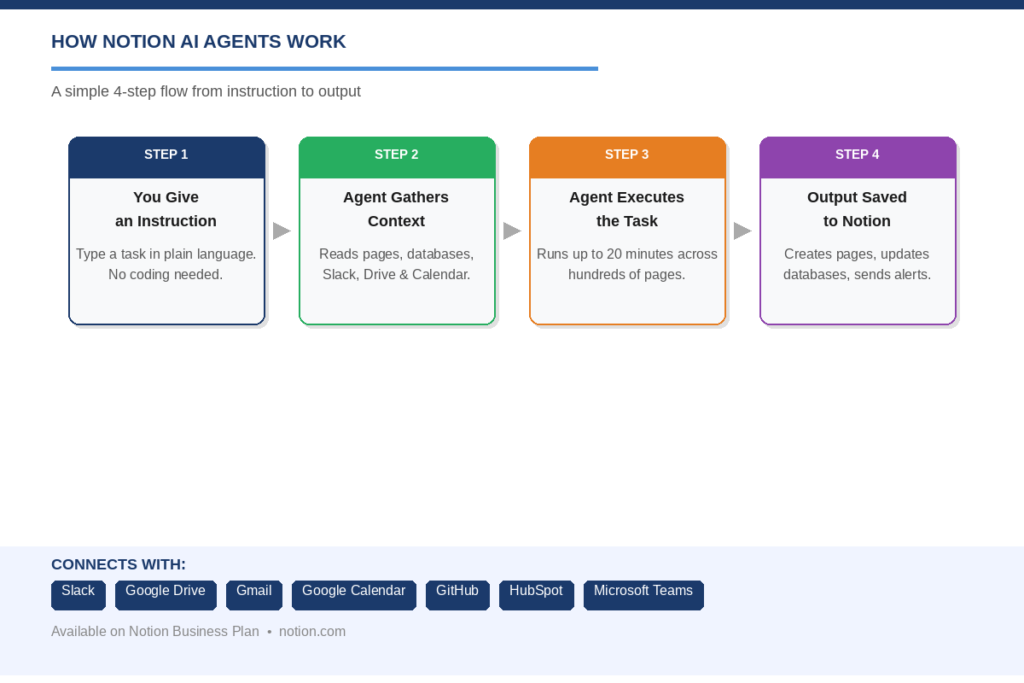
Consider them as virtual workers. You tell the Agent what to do, such as “Summarize last week’s feedback from Slack to a Notion page” and it does it all for you. An Agent run can be up to 20 minutes and can operate on hundreds of pages at a time.
In January 2026, Agents was released for mobile in the Notion 3.2 update. And, starting from April 2026, Custom Agents can even execute JavaScript and Python scripts directly within Notion, making it a programmable automation engine. You can also specify which AI model will be used to power your Agent, either GPT-5.2, Claude Opus 4.5 or Gemini 3.
Why Use Them to Save Time?
Any time invested in repetitive, low value tasks is time that will not be invested in strategy, creativity and growth. It isn’t a lack of motivation, it is simply the fact that there is so much information in modern work, it can be a full-time job just organizing it.
Notion’s AI Agents are intended to address this head-on. They operate in the background when you’re in meetings, on calls or when you’re deep working. They’re not hand holding, they don’t forget to follow up, and they don’t get distracted. They are set up and then run.
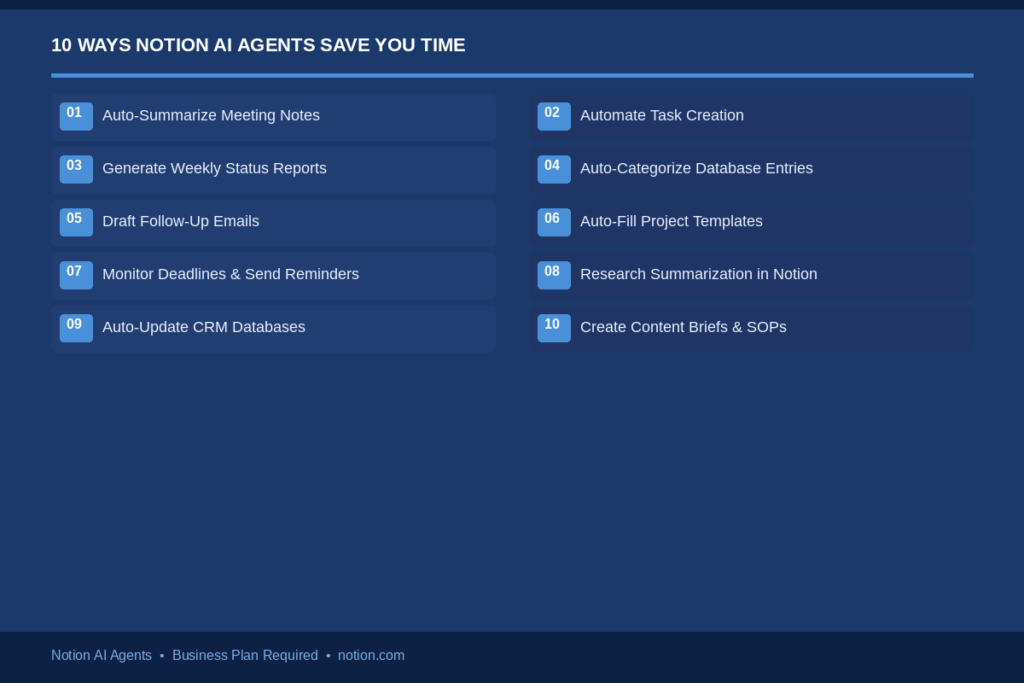
10 Ways to Save Hours Every Week with Your Notion Agent
1. Auto-Summarize Meeting Notes
The transcript of each meeting can be read after each meeting, key decisions and action items can be pulled out, and the follow-up owners can be captured, and a clean summary can be written directly into a Notion page by your Agent after each meeting. The AI Meeting Notes feature with Notion 3.1’s update now references a specific time in the chat.
The Meetings tab is also on the sidebar, and is synced with your calendar. No more having to write notes or go after people for action. The Agent takes care of all the rest as you close down your laptop.
2. Automate Task Creation from Project Briefs
Send a Project Brief to Notion and have your Agent add tasks, assign owners, and assign due dates. Previously, this would have taken about 30 to 45 minutes of manual work, but now it takes less than 2 minutes.
The Agent reads the entire brief, knows what each phase of the project will need and generates a planned task database for your team. No copy and paste — a project plan straight out of the box that you can use!
3. Generate Weekly Status Reports Automatically
One of the largest time consumers in any team are weekly reports. Your Agent can extract task completion, project updates and blockers from your entire workspace and write a polished weekly status report, ready to share with leadership and/or clients.
This can be scheduled to run on every Friday afternoon. Data is collected by the Agent, the report is written and it is put into the correct Notion page. You read through and send. It used to take an hour to complete a task, but now it takes 5 minutes.
4. Auto-Categorize and Tag Database Entries
When you have a content database, CRM or task tracker with hundreds of entries, it’s tedious to keep tags and categories clean. Each entry will be auto-populated with the appropriate tags, categories, priority or status label based on the text.
This is very useful if several members of the team add entries. The Agent simplifies all, maintaining a clean and searchable database that no one has to spend hours in order to do.
5. Draft Follow-Up Emails and Messages via Integrations
The Notion’s Agent will sync with Slack, Gmail, and Outlook Mail (soon) to surface context when you’re chatting with them and compose a follow-up. For instance, following an initial client conversation, the Agent can send an e-mail response that summarizes the conversation and the next steps.
Read through the draft, fix any minor mistakes, and send. That alone saves 30-60 minutes a day for any salesperson or business owner who relies on email and chat for all client interactions.
6. Auto-Fill Project Templates with AI
Each new project typically commences with just about the same template, including the client’s name, goals, timeline, stakeholders and scope. Your Agent can fill out a project template from a short brief or even a Slack message.
This is particularly of benefit to agencies, consultants and product teams that manage multiple similar projects per month. It once took the Agent about 20 minutes to copy and paste and fill in the forms, but now it takes only about 30 seconds.
7. Monitor Deadlines and Send Smart Reminders
Custom Agents can be activated when there are events on the Notion database, such as an approaching due date, or a status change to “At Risk. In such a case, the Agent is able to automatically send the correct person a Slack message, update the task page and mark the issue in the weekly report.
This eliminates the need for a project manager to have to walk through to view each one at each day. Continuous monitoring of the database by the Agent and surfacing of issues that might be blockers — without the constant overhead of the check-in..
8. Research Summarization Directly Inside Notion
Your Agent can use the web, access information from Google Drive, and read connected pages to synthesize research notes for you—all within Notion. Say “research our top three competitors and summarize their latest product updates” and it will provide you with a page of a summary with a structured layout.
In March 2026, the Agent added cross-page AI blocks, allowing him to synthesize information across linked pages as well, and thus create live, auto-updated knowledge dashboards that always have the latest information from your research.
9. Auto-Update CRM or Client Databases
One of the most time-consuming tasks in a sales and account management team is maintaining a CRM. Your Agent can read emails, Slack messages, and meeting notes, and update the relevant deal record within your Notion database — noting the last contact date, deal stage, and adding notes.
Notion is now a HubSpot MCP integration, allowing your Agent to sync updates between Notion and your outside CRM. It helps ensure that there is no double data entry and that client information flows in two directions.
10. Create Content Briefs and SOPs on Autopilot
Creating detailed briefs and standard operating procedures is a task that content teams and marketers need to do, but it takes up time. Your Agent can input a topic, keyword, or process description, and create a complete, structured content brief or SOP, complete with headings, key points, and reference links.
This can help SEO teams who are creating lots of content. Without the human touch the Agent can now produce the brief, store it in the content database, add the proper metadata and prepare it ready for a writer..
How to Set Up Your Notion Agent
Getting started is simpler than most people expect. Here is a quick overview of the setup process:
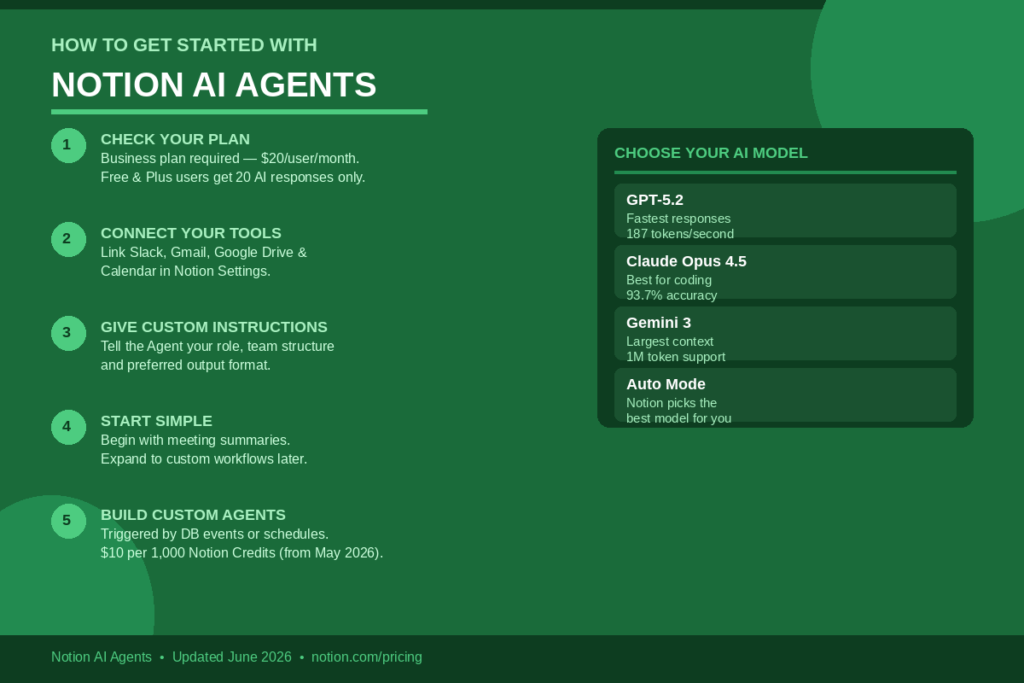
STEP 1 — Review your plan. The Business plan ($20/user/month) is required for Full Agent access. There are no additional charges for more AI responses for users of Free and Plus, and only 20 total AI responses are provided as a trial.
Step 2 – Linking your tools. Navigate to Settings and link Slack, Google Drive, Gmail, and your calendar. You will get more useful outputs from your Agent, the more context it has.
Step 3 — Provide your Agent with special instructions. Describe how you work: your role, structure of your team, preferred output format. This makes each answer individual.
Step 4 — Start simple. Start with one workflow — meeting summaries are a great one to go with. Practice in comfort before progressing to more difficult activities.
Step 5 — Create Custom Agents for reoccurring workflows. Custom Agents (which come with a price of $10 per 1,000 credits and were available since February 2026) can be automatically triggered with database changes, schedules, or messages in Slack, but they run in the background.
Best Practices for Getting the Most Out of Your Agent
Maintain consistent and clean database design. The Agent performs best when the databases are well-named, have consistent tags and predictable formats. The Agent outputs will be inconsistent with messy data.
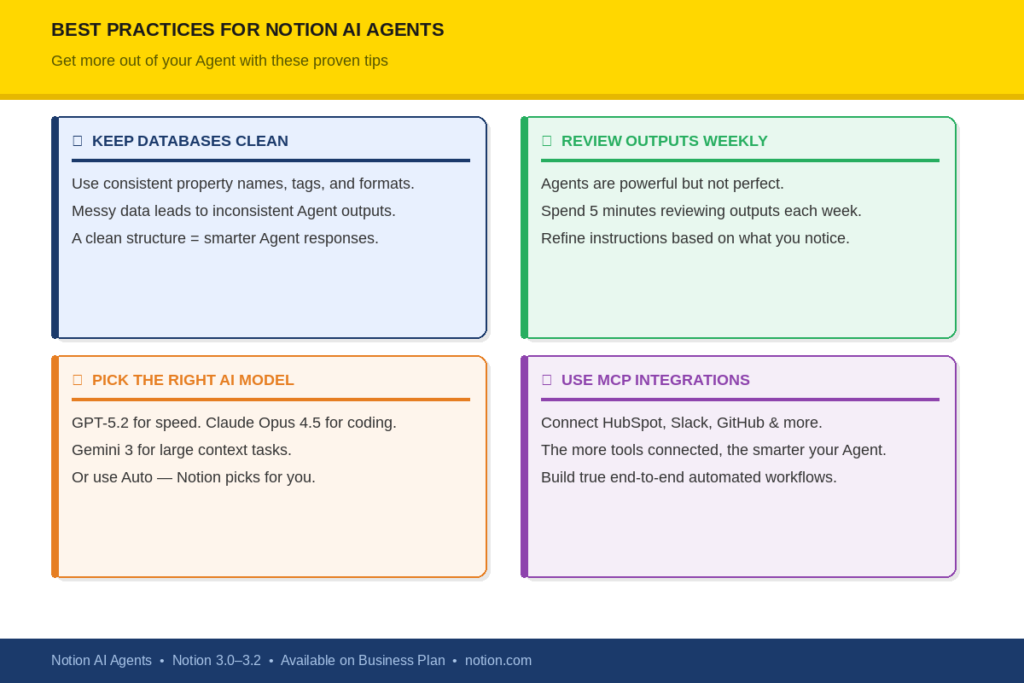
Regularly check outputs, particularly at the beginning. Agents are very good, but not perfect. Review each week for a few minutes what your Agent made and tweak the instructions if needed based on what you see.
Select the correct AI model for the appropriate job. As of Notion 3.2, one can select either the GPT-5.2 (fastest) or the Claude Opus 4.5 (most suitable for coding and analysis) or the Gemini 3 (most suitable for large context tasks). If you don’t know, let the Auto mode do the rest.
Team up with Agents and MCP integrations to maximize power. With MCP, Notion now supports HubSpot, Lovable, Perplexity, Mistral and more. The greater the number of tools your Agent can read from and write back to, the more end-to-end automation you can create.
Conclusion
There’s only one thing that you can’t get back: time. Notion AI Agents are designed to safeguard it. From automating your meeting summaries to a complete network of Custom Agents to manage your CRM, content pipeline and project tracking, the cumulative benefits to your productivity are palpable. Since its launch in late 2025, the platform has grown up considerably, having Mobile Support, choice of models, calendar integration and cross page intelligence now available. It is never too late as long as it is today! Choose one workflow and give it to your Agent and experience an hour back.
FAQs
Q1. So, what are Notion AI Agents and how do they operate?
The Notion AI Agents are autonomous AI workers within your workspace that can generate pages, update databases, search tools that are connected to Notion, or perform multi-step workflows without any manual effort. These are new in Notion 3.0 launched in September 2025, and they can run on hundreds of pages at the same time, for up to 20 minutes per task.
Q2. Is it possible to use Notion AI Agents for free?
Not fully. Users of the Free and Plus plans receive a total of 20 AI responses for free, as a trial. To have Full Agent access, you need to subscribe to Business Plan ($20 per user per month). Custom Agents (automatic in the background) will be priced at $10 per 1,000 credits, and billed on a monthly basis from May 2026.
Q3. Are Notion AI Agents a substitute for a virtual assistant?
Yes — Agents can perform a substantial amount of what a virtual assistant does, particularly with regard to note taking, task management, reporting, and database upkeep, when tasks are within your Notion workspace and the other tools where you use Notion. But, they can’t make calls or do manual chops, or manage apps outside of the Notion integration ecosystem.
Q4. What is required to use Notion AI Agents if I don’t have coding skills?
No. The personal Agent needs no coding. Just enter the instructions in plain English and it will carry them out. Custom Agents are configured via a guided chat-based UI, which has templates for frequently used workflows. Support for execution of JavaScript and Python was added for advanced users in the April 2026 update, but is optional.
Q5. What tools can Notion AI Agents connect to?
Notion Agents can connect to Slack, Google Drive, Gmail, Google Calendar, GitHub, Microsoft Teams, HubSpot, Lovable, Perplexity, Mistral, Notion Mail, and more through MCP integrations. The list of supported tools is expanding regularly with each new Notion release.