Introduction
Bad business writing is a more expensive affair than a company thinks it is, such as miswritten emails or off brand content that makes the customers to lose their way. Grammarly for Business is an AI-powered writing tool designed to solve exactly this problem for teams of all sizes. It is much more than simple grammar controls, and it can assist whole organizations to write more clearly, consistently, and in more professional styles. This tool can offer you something of value whether you have a marketing team of five people or a business of 500 people. You see, in this article, you will get to know all you need to know about it: features, pricing, pros, cons, and who it suits best.
Table of Contents
What Is Grammarly for Business?
Grammarly for Business is a web-based communication management and writing tool that helps businesses across all industries polish their written communications.
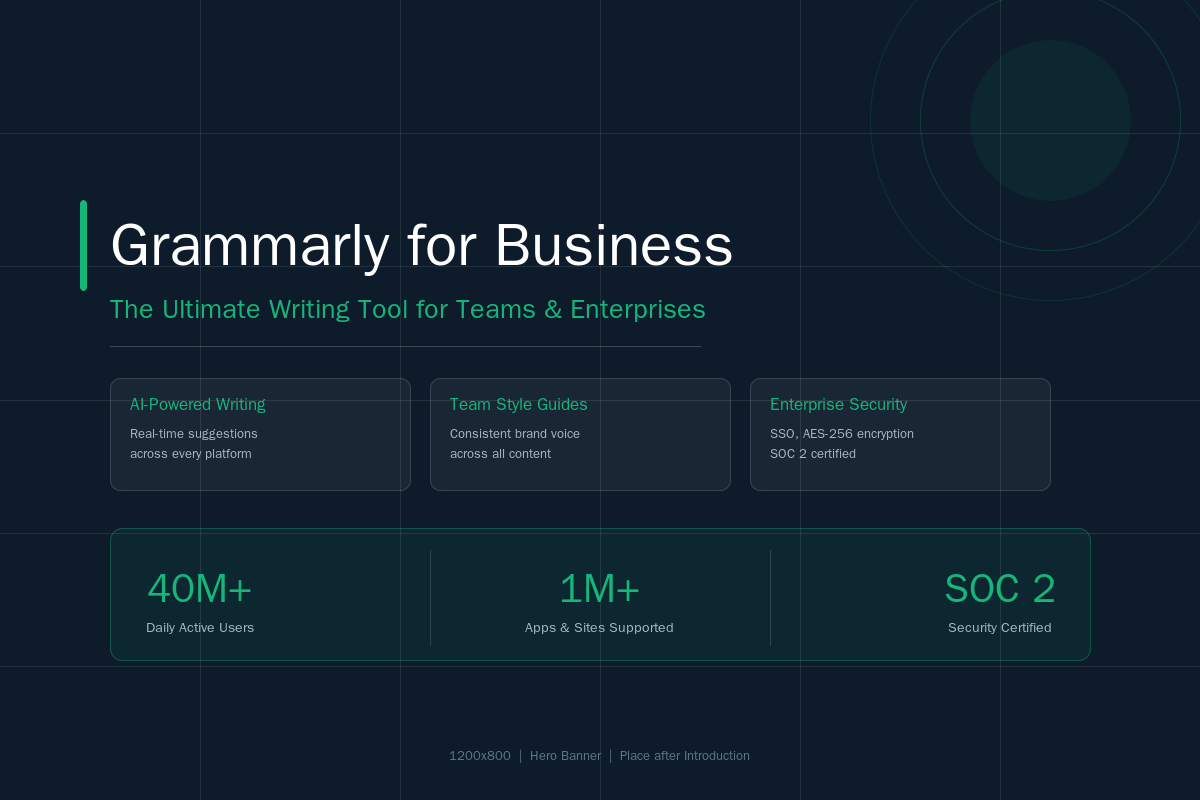
It is cross-platform compatible with emails, documents, chat services, and browsers, thus it is one of the most wide-ranged writing tools nowadays. Originally a basic grammar checker, Grammarly has developed into a more general AI productivity platform, with more than 40 million daily users and tens of thousands of customers spread out all over the world.
How It Differs from the Free and Pro Plans
The plans offered by Grammarly are divided into three primary levels: Free, Pro (previously known as Premium), and Business/Enterprise in case of a team. The Free version is the one that is basic. The Pro plan includes state-of-the-art AI writing features. The Business and Enterprise plans tier of team management, brand controls, and security on the enterprise level.
Key Features of Grammarly for Business
1. AI-Powered Writing Suggestions
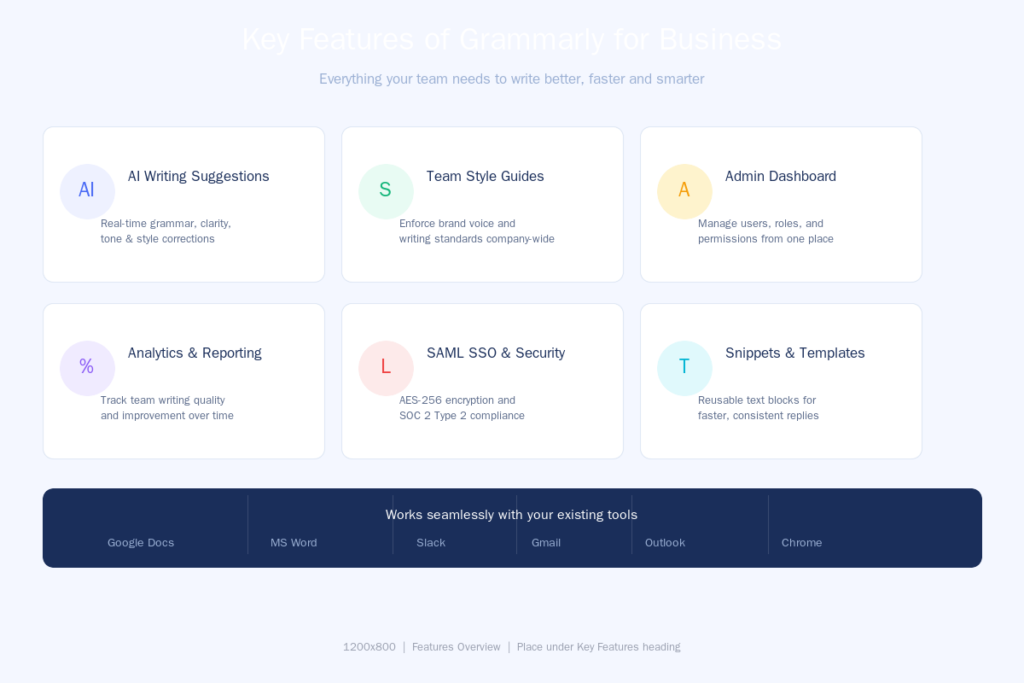
Grammarly checks for grammar, spelling, punctuation, clarity, and tone in real time. In 2026, Grammarly isn’t just about fixing typos — it’s about writing with confidence, powered by AI that understands context, intent, and tone better than ever.
2. Team Style Guides
This is among the most effective business attributes. The custom style guides can be developed by teams that determine the brand voice, it should be used, and writing rules. All the members are automatically provided with suggestions that are in line with the company standards.
3. Centralized Admin Dashboard
The dashboard underlines the adoption, the acceptance of the suggestions, and the key areas of improvement. You will be able to see the teams that use passive voice too often, the writers who fail to achieve the clarity in their texts, and the documents that cause the greatest number of rewrites. This makes the quality of writing a measurable and improvable thing.
4. Enterprise-Grade Security
With SAML single sign-on, the access can be managed, and the company-specific control can be enforced by integrating with the identity provider. There is also two-step authentication which comes with an added security.
Grammarly is encrypted when performing transactions and rest and is encrypted with TLS 1.2, the industry standard, over encrypted data is including server-side encryption with AES-256.
5. Snippets (Reusable Text Templates)
Snippets let team members save and reuse frequently used phrases, replies, or boilerplate content. This speeds up writing for customer support, sales, and HR teams significantly.
6. Plagiarism Checker
The Grammarly Plagiarism Checker identifies any duplicates using ProQuest databases and 16 billion web pages and will give the original source of any duplicated content to enable the user to reference it properly.
How Grammarly for Business Works
It is simple to start with. An account is created by an admin, who welcomes the team members through email and configures the style guide and brand tone settings. When it is configured, the team members will install the browser extension or desktop application.
Grammarly offers a single communication platform across 1 million+ apps and websites and fits perfectly into your workflow. This is Google Docs, Microsoft Word, Slack, Gmail and basically all the other platforms which your team already utilizes.
In the case of Enterprise accounts, SCIM provisioning can be used to automate identity management, and it is easy to add or remove or transfer accounts and permissions.
Pricing & Plans
Grammarly Pro costs approximately 12$ per member per month with a yearly charge, or 30$ per member per month with a monthly plan, and up to 149 seats per Pro account. Enterprise plans offer unlimited members and with advanced security, data controls and dedicated support and pricing is provided as needed by the sales team.
Here’s a quick breakdown:
| Plan | Price | Best For |
| Free | $0 | Individuals, basic use |
| Pro | $12/user/month (annual) | Small teams, freelancers |
| Enterprise | Custom pricing | Large organizations |
In the case of teams migrating to Business, using a quote of 18 per user per month on an annual basis, then 10 users should cost you 2,160 a year, which will be worth it when you need unlimited prompts or SSO.

The annual billing is much better than the monthly billing, and therefore it will always be a good idea to select the annual plan as long as the tool is serious.
Grammarly for Business vs Competitors
ProWritingAid
ProWritingAid is powerful when it comes to long writing and detailed style reports. Nonetheless, it does not have the same level of real-time and cross-platform coverage and team management as Grammarly does.
Microsoft Editor
Microsoft Editor is an in-built part of the Microsoft 365 platform and it is compatible with Word and Outlook users. However, it does not provide the same amount of AI recommendations, style suggestions, or team analytics.
Hemingway Editor
Hemingway is excellent at making writing easy, but it is a single-user desktop application that lacks any team functionality, administrative controls, and does not integrate with other applications.
Verdict Verdict: Grammarly prevails in terms of teams that require real-time recommendations, consistency of brand and cross platform coverage.
Who Should Use Grammarly for Business?
This has been an excellent fit with most types of teams:
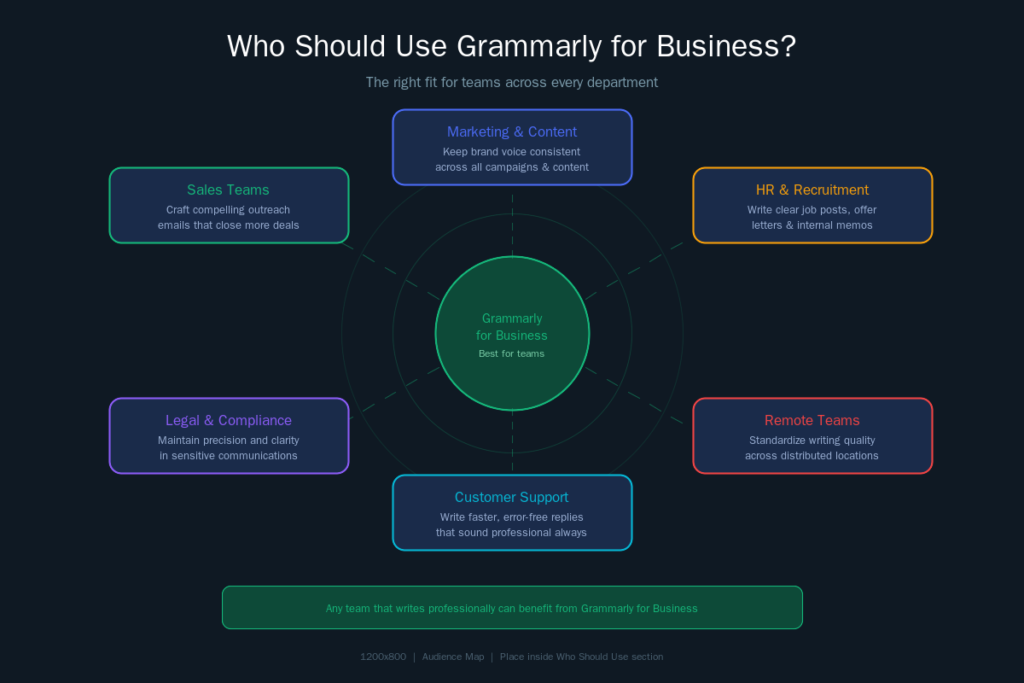
Marketing/Content Teams: Make the brand voice consistent in all the material.
Customer Support Teams: Reply faster and error-free and sound professional.
Sales Teams: Be creative with powerful outreach email messages that seal more deals.
HR Teams: Read job postings, provide letters, and in-house communications.
Remote and Distributed Teams: Be able to maintain the same standard of writing without having to be in the same room.
Grammarly Pro and Grammarly Business features are used by many small and mid-sized enterprises, which aim to professionalize communication with customers, sales outreach, and internal collaboration but do not want to introduce new sophisticated software
Pros & Cons
| ✅ Pros | ❌ Cons |
| Works across 1M+ apps and platforms | Costs scale quickly for large teams |
| Real-time AI suggestions | Requires internet connection |
| Strong brand consistency tools | AI suggestions aren’t always perfect |
| Enterprise-grade security | Limited offline functionality |
| Easy admin management | Some advanced features only in Enterprise |
It’s great for catching things you’ve missed, but you still have to be the one to make the final call. Grammarly is a powerful assistant — not a replacement for human judgment.

Tips to Get the Most Out of It
Set up your style guide first. Establish your brand tone, favorite words and writing guidelines before inviting team members. This makes sure that everybody gets benefited at the outset.
Use Snippets for repetitive content. It is also useful to customer services to have preset answers to frequently asked queries.
Check team analytics weekly: The dashboard will assist you to identify the regular problems and mentor your group on how to become better writers with the passage of time.
Go annual, not monthly: The cost-saving is strong, even up to 60 percent in contrast with monthly payments.
Train your team during onboarding. The adoption and outcomes can significantly be enhanced with a brief 15-minute walkthrough.
Conclusion
If your team struggles with inconsistent writing, time-consuming edits, or maintaining a clear brand voice, Grammarly for Business is one of the smartest investments you can make. It easily fits into the tools that your team already has, is powerful across the board whether you are an admin or a writer and is supported by enterprise level security. It becomes a tool that saves the day in time and quality that make it worth itself in both time and money whether you are a developing startup or a big company taking advantage of AI writing assistant, team analytics, and brand controls. Begin with the free plan, test the Pro trial, and upscale.
FAQs
There are 5 FAQs about Grammarly for Business.
Q1. Is Grammarly for Business safe and secure?
Yes. Grammarly has fully undergone and continues to uphold SOC 2 (Type 2) attestation on an annual basis, audited by Ernst and Young, and found to be of high capability in terms of privacy, security, and availability of customer data as well as confidentiality.
Q2. How many users can be added to Grammarly for Business?
The Pro plan is up to 149 seats. Enterprise plans offer unlimited members individual pricing depending on team size and needs.
Q3. Can I try Grammarly for Business for free?
Their free plan includes the fundamental features, and Grammarly occasionally provides its users with a 7-day free trial of the Pro version.
Q4. Does Grammarly integrate with Google Docs and Microsoft word?
Yes. Grammarly can be used with Google Docs through its browser extension and is compatible with Microsoft Word, Outlook, Slack, Gmail and more than a million other applications.
Q5. Does Grammarly sell or transfer my business data?
No. Grammarly does not purchase or commercialize the content that you post to its products. Users only pay when buying the offerings of paid plans, and this is how it makes money.