Introduction
If you’ve ever gotten a vague or generic reply from AI, you’re not alone. Learning how to get better answers from ChatGPT comes down to how you ask, not just what you ask. Small changes in your prompts, like adding context, examples, or a clear role, can turn a flat response into something genuinely useful. In 2026, ChatGPT also remembers details across chats and lets you set custom instructions, which makes good prompting even more powerful. This article walks through ten proven s, plus a few bonus tips, so you can start getting sharper, more accurate, and more personalized responses today.
Table of Contents
Why Prompt Quality Matters
ChatGPT doesn’t read your mind. It foretells the most helpful answer according to your phrases. There is too much leeway for guessing in a one-liner; therefore, the model fills the void with commonplace suppositions. The more exact the input the more exact the output. It’s not just about inputting into a search bar; it’s about briefing a smart assistant that has never met you before.
It is more important now than ever, because ChatGPT is now powered by increasingly powerful models (GPT-5.5 and beyond) that can perform a lot of steps in one request. The reward for crafting a clear, well-organized message is increased: If you allow it, the model can now respond to more nuances.
ChatGPT: Vague vs. Specific Requests
The broad of a prompt, such as “write about marketing” might have a thousand different directions. ChatGPT will have to assume your industry, tone and objective, and will default to something general and safe. The model knows exactly what it needs to do because of the specific prompt given, such as writing a 200-word caption for a small bakery that is introducing a new sourdough loaf on Instagram. It understands the format, audience and purpose, so the results are closer to what you really need.
Mistakes that Cause Weak Responses
Most weak responses will go back to a few habits: asking a single-word question, not mentioning the goal in the context, not saying what format or length of answer is expected, and not refining the answer and just taking the first response. A frequent error is creating a new conversation from scratch for each subsequent query, causing ChatGPT to miss out on valuable context. It’s possible to see a dramatic difference in results by correcting these habits.
Furthermore, it’s crucial to keep in mind that ChatGPT is designed to be a continuous dialogue, not just a one-off search. When an answer is incorrect, it’s not a dead end, generally. It’s just a tip to include more context, rephrase the wording, or use one of the strategies below.
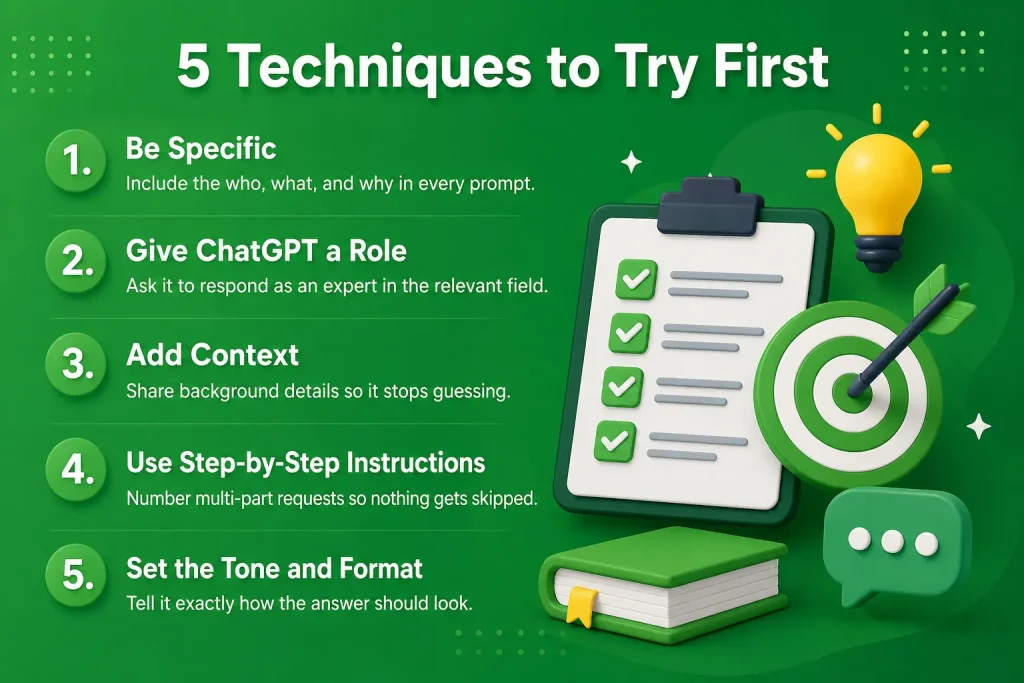
1 – Be Specific About What You Want
The one thing you have the most control over is specificity. Rather than “tips to be more productive,” say: “Give me 5 tips to be more productive as a remote graphic designer who gets distracted in the afternoon. Use the who, what, and why as much as possible. This additional 10 seconds of typing will save you several back-and-forth rounds of editing later.
It is helpful to visualize that you are explaining the task to a new co-worker who doesn’t know much about your project. You would say what the purpose, the audience were and any constraints without being asked to. Use the same intuition with your prompts. Requesting something too broadly will lead to a very bland response from the model, and if you don’t clarify what you’re asking for, it will simply take the average of all of the possibilities.
2 – Give ChatGPT a Role or Persona
Giving an answer a role determines the tone, the vocabulary and depth of the answer. When given this prompt, ChatGPT gives a much different answer than it does when just asked to “answer a question” in general. Roles are great for technical subjects, creative writing and when it matters, when it’s an expert or when it’s voice.
You can have an audience in a role too! The model is both a nutritionist talking about “macros” to a busy parent who isn’t into science, so it’s not over-the-top scientific, yet it’s also a nutritionist speaking about macros. This is one of the quickest methods to make an answer feel unique and not clone-pasted from a general information base.
3 – Provide Context and Background Information
ChatGPT isn’t allowed to guess when there’s context. When requesting resume assistance, state your industry, number of years and type of position. When troubleshooting code, include what you have done and paste the error message. The model only works with what you input, so don’t make every prompt a riddle but rather a briefing.
Background information also refers to something that you already know you can’t change, like a budget, deadline, or tool you have to use. If you talk about them at the outset, you won’t get an answer that’s really beautifully detailed, and you know it’s not going to be feasible for you.
4 – Use Step-by-Step Instructions
When someone has more than one part, list the steps in a numbered format. For instance: “1) Write a summary of this article in three sentences, 2) Identify the primary criticism of this article, 3) Propose a response to that criticism. This prevents ChatGPT from overlooking any parts of your request and makes it more convenient for you to verify that all parts were covered.
Numbered instructions are particularly useful when doing research, comparisons and planning activities when one of the sub-questions can be lost in a paragraph. If ChatGPT fails to provide the next step, just select the number that was left out, and not the entire prompt.
5 – Seqt the Tone and Format You Need
Communicate to ChatGPT what type of answer you are looking for. Would you like to have bullets or a paragraph? Formal or casual? Less than 150 words or a complete breakdown? Avoid using jargon or technical terms; telling your interviewers “explain this in plain English, no jargon, under 100 words” eliminates the guesswork and often results in a usable reply the first time.
People don’t realize how important it is to have them formatted. The same information in a dense paragraph and a clean bulleted list is present, but much more easily accessible and actionable.
6 – Ask ChatGPT to Ask You Questions First
If the task is complex or open-ended, consider using the phrase, “Before you answer, ask me any clarifications that you may need. This brings a twist to the typical approach, allowing ChatGPT to uncover the missing components of your request rather than assuming. It’s particularly helpful when you’re creating a business plan, a creative project, or anything else that requires the correct answer, which you haven’t given yet.
This is also very useful if you don’t know exactly what you want! It is sometimes easier to respond to a few specific questions than to know what to write on your own and it will also reveal information you may not have thought of adding to your prompt..
7 – Use Examples to Guide the Output
Giving ChatGPT a single or two samples of a preferred output can be quicker than verbalizing preferences. If a specific writing style is desired, copy a short section and input it as “match this tone. If you need a specific format, describe an example of that structure, using a mini example. Anchoring the model’s output with examples is much more reliable than using adjectives only.
This can also be referred to as few-shot prompting and is one of the best ways to be consistent. When you’re creating multiple similar things, such as product descriptions or email subject lines, the first one is the example for the others.
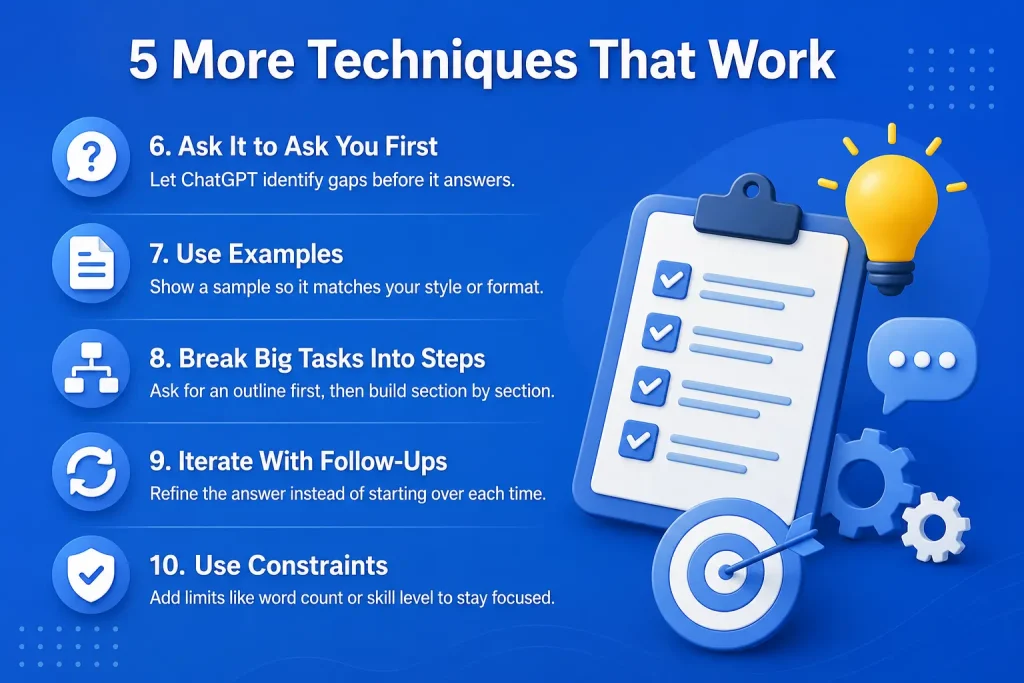
8 – Break Complex Tasks into Smaller Prompts
Shallow answers are often because the model attempts to respond to a large multi-part request. Rather, divide the work between the two. Request an outline first, then go through it and then ask for each part individually. This helps to maintain quality all the way through and provides stop points to realign before you’ve got off to a bad start.
Long projects are also easier to break down into sessions. You can save an outline, return to it at a later time and continue with it without having to retell the entire project each time.
9 – Iterate and Refine with Follow-Up Prompts
The initial question you ask is often not the best question. Use the conversation as a draft/revise process: Request first draft, then comment on what’s missing from the first draft, what needs to be cut, what should be changed. Follow-up comments such as “make this more concise” or “add a real-world example” extend the previous answer, rather than begin it anew, which typically leads to a good result more rapidly.
Give feedback as concisely and honestly as you would with another human being. When you say “this is too formal, loosen it up” and/or “cut the second paragraph entirely” ChatGPT has a clear steer and each round of revision is closer to what you were after..
10 – Use Constraints to Narrow the Response
Constraints force focus. Experiment with constraints such as “in exactly five bullet points,” “using only free tools,” or “easy for a beginning programmer who has no coding experience. In the absence of guidelines, ChatGPT often addresses a subject in a rather general way. The more boundaries you add, the closer it gets to your desired angle.
Limits are also helpful to separate out the information that doesn’t apply to you. If you cite that you have limited budget, live in a certain area, or work with older equipment, you’ll get more realistic suggestions than if you assume you have an unlimited budget, live in a different area, or work with new equipment.
Bonus Tips for Getting Even Better Results
Memory & Custom Instructions
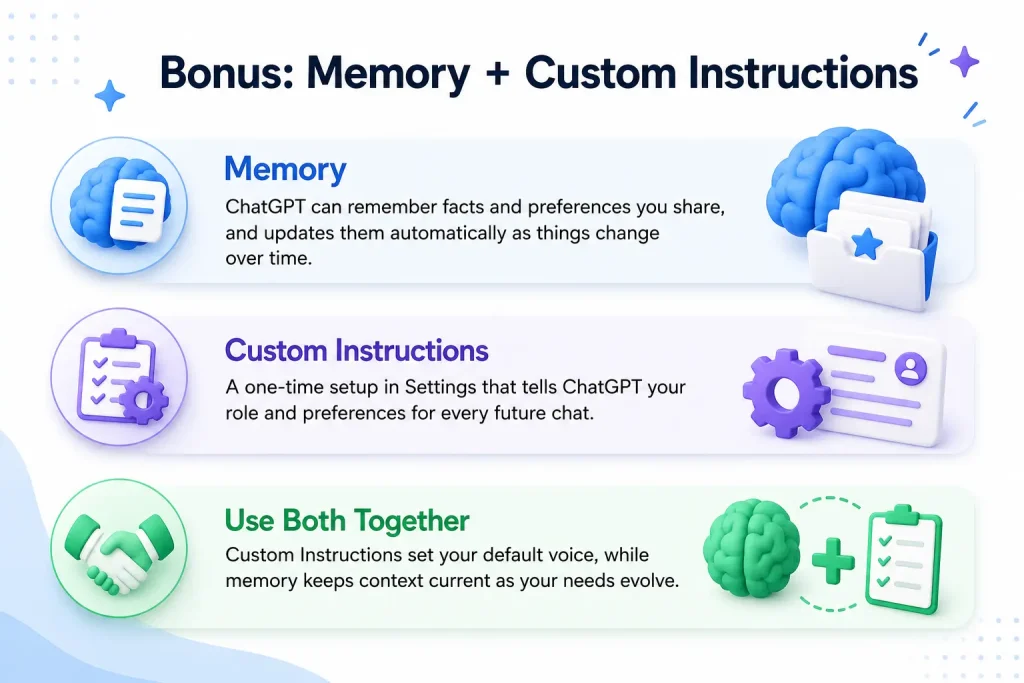
To ensure that the facts remain up to date and don’t become outdated, ChatGPT’s memory system has been updated to work on a “dreaming” architecture. Add to this Custom Instructions, under Settings, which you can use to define what ChatGPT’s role, preference, and the style of the responses are. Custom Instructions stay the same for every chat, and the memory updates automatically as you converse, which means that you’ll answer questions more personally without repeating yourself.
Combining s for Complex Tasks
Combining the above s is most effective. If the project is large, you may want to prompt a role, provide background, list steps, and provide a format constraint in a single prompt. Follow up refining when the answer emerges. Usually two or three s will be used simultaneously, which is the part that distinguishes a mediocre response from a personalized one.
A real-world scenario: “You are a career coach and need to help a marketing manager who has five years of experience update his resume summary to be under 60 words, without the use of buzzwords and in a confident (not boastful) tone. That one prompt incorporates a role, context, constraint and tone request, and it will nearly always outperform a simple “help me with my resume.” The more layers you can add to this as a habit, the less editing will need to occur after.
Conclusion
Getting more out of AI isn’t about finding a secret trick, it’s about communicating clearly. Once you understand how to get better answers from ChatGPT, s like adding context, assigning roles, and refining through follow-ups become second nature. Pair these habits with features like memory and Custom Instructions, and every conversation builds on the last one instead of starting from scratch. Start with one or two s from this list, notice the difference, and layer in more as you go. Better prompts really do lead to better, faster, and more useful results.
FAQs
1. Why does ChatGPT give me generic answers?
Generic answers usually come from vague prompts. Add specific details about your goal, audience, and desired format to get a sharper response.
2. How long should a ChatGPT prompt be?
There’s no fixed length. A good prompt is as long as it needs to be to include context, role, and format, often two to four sentences for everyday tasks.
3. Does ChatGPT remember previous conversations?
Yes, if memory is turned on. ChatGPT can save facts you share and reference past chats to personalize future responses, and you can review or delete what it remembers in Settings.
4. What’s the difference between Custom Instructions and memory?
Custom Instructions are rules you write once that apply to every chat. Memory is built automatically as ChatGPT learns from your conversations over time.
5. Can I ask ChatGPT to improve its own answer?
Yes. Simply reply with what you’d like changed, such as “make it shorter” or “add more examples,” and ChatGPT will refine the existing answer.