Introduction
If you’ve been using Grammarly for a while, you’re familiar with its capabilities and you know it does a decent job. However, once you exceed the number of free plans or find out how much is limited with the free plan, you begin to wonder if there’s something better in the world. Fortunately, there is. Whether you’re looking for advanced style suggestions, paraphrasing, multilingual capabilities, or readability enhancements, the Top 5 Grammarly Alternatives have you covered. These tools are all designed for how you write, whether you’re a student, a blogger, an author or a business professional.
Table of Contents
Why Look for a Grammarly Alternative?
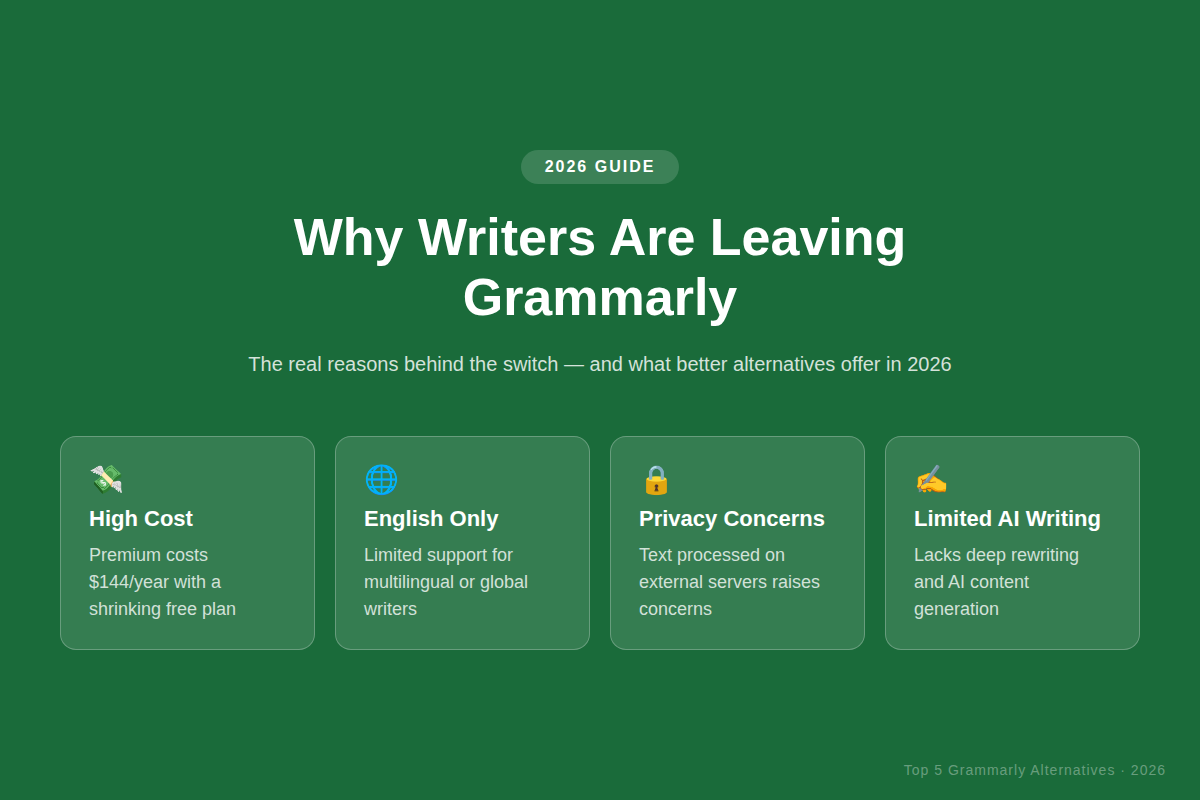
Grammarly can be a great tool, however it is not right for all. The free plan has been incredibly limited over the years, and Premium is now about $144 a year, and that’s a lot of money. There’s also a fear of continually being prompted to upgrade, which many users find to be incredibly frustrating when trying to use some of the more beneficial features.
Plus, Grammarly is primarily designed for English writers and isn’t very effective for multilingual writers. There have also been concerns about text being processed on external servers, in the interests of privacy conscious users. For writers who require more than just grammar correction — such as comprehensive style suggestions or AI-generated rewrites — Grammarly simply doesn’t cut the mustard.
What to Look for in a Writing Assistant
It’s best to understand the difference between a good and a bad writing implement before taking a look at the list. These are the important factors to consider when looking at any Grammarly competitor in 2026.
- Correct grammar and spelling
- AI Rewriting & paraphrasing
- A range of suggestions for tone and style.
- Plagiarism detection
Students can integrate into Google Docs, MS Word, and browsers.
A generous free plan and affordable pricing. A plan which allows for generous free usage, with affordable pricing.
Top 5 Grammarly Alternatives in 2026
1. ProWritingAid
ProWritingAid is regarded as the most comprehensive Grammarly alternative out there right now. It doesn’t only catch grammar mistakes, it provides 25+ detailed writing reports that include overused words, length variations of sentences, pacing, cliches and sticky sentences to name a few. This is a game-changer for writers creating novels, reports or long-form articles.
One of its great strengths is its depth of analysis. Grammarly just can’t compare with the ability to upload an entire manuscript and receive a comprehensive breakdown of one’s writing style, readability grade and structural problems. The 2026 version also boasts improved AI suggestions that have a much deeper understanding of context.
Ideal for: Fiction writers, bloggers, content creators & editors.
Pros: Deep style reports, plagiarism checker, works with MS Word and Google Docs, lifetime plan available.
Cons: It takes some time to learn, interface is more complex than Grammarly.
Price: $10/month (annual) or $399 one time lifetime — which is a worthy investment in only 3 years.
2. Hemingway Editor
The name of Hemingway Editor is taken from the renowned Ernest Hemingway, and it meets the expectations. It’s one mission that is very easy to accomplish: make writing easier to understand. It points out long sentences, passive voice, superfluous adverbs, and words and phrases that could be expressed more simply — and does it in a neat, colour-coded system!
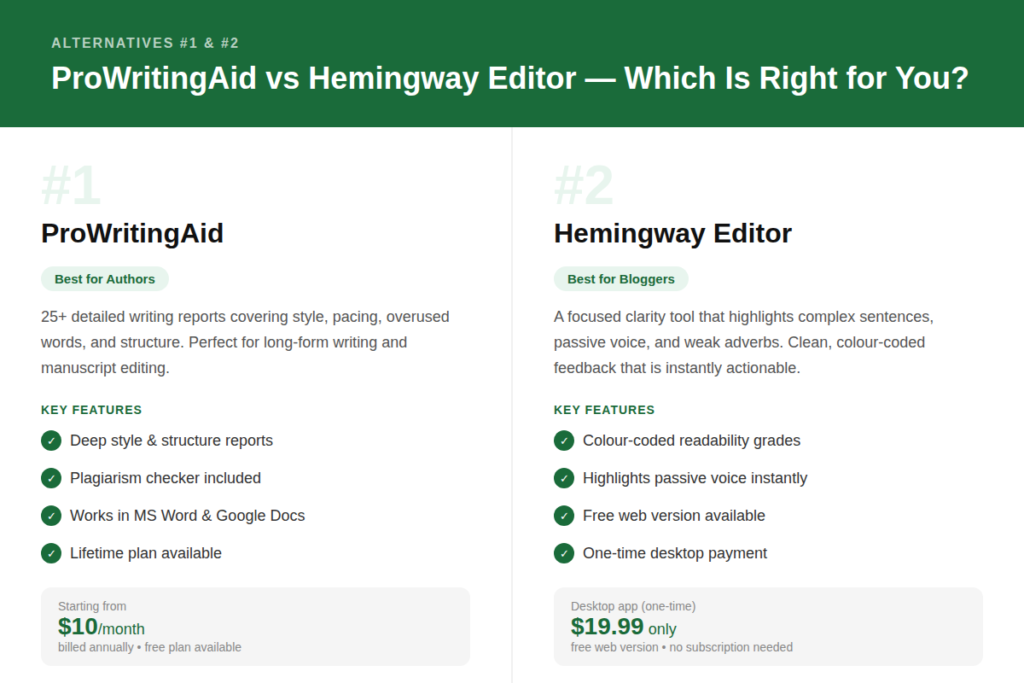
Yellow highlights indicate a difficult to read sentence. Red = very complex. Words that have easier alternatives are coloured with purple. It’s a visual solution and it’s extremely simple to understand what needs to be done to fix it. Hemingway is simpler than the other tools, and it’s the focus on simplicity that makes it so useful.
Please note that Hemingway does not proofread spelling or grammar. It’s a clarity tool, to use it as a second pass after another tool has done grammar checking. The desktop software cost $19.99, and there is no subscription fee.
Ideal for: Bloggers, Journalists, Content Marketers, and anyone seeking to make their writing more readable and clean.
Pros: Simple interface, readability grading, one-time desktop payment, free web version available.
Cons: Does not check spelling or grammar, no browser extension.
Pricing: Free online version: $19.99 one-time price for the desktop version.
3. QuillBot
QuillBot began as a simple paraphrasing tool and has since become a complete writing suite that is trusted by more than 35 million people around the world. It will have a grammar checker, summarizer, plagiarism checker, AI chat, citation generator and translator all in one place in 2026. Its most powerful feature is still the paraphrasing tool, which utilizes sophisticated language models that have been greatly enhanced this year.
This free plan is actually usable for casual writing, something not many writing tools can claim! Up to 125 words per go and grammar checker with no word limit. If you want to rewrite the research material or just make a quick check on your essay, then nothing can beat QuillBot.
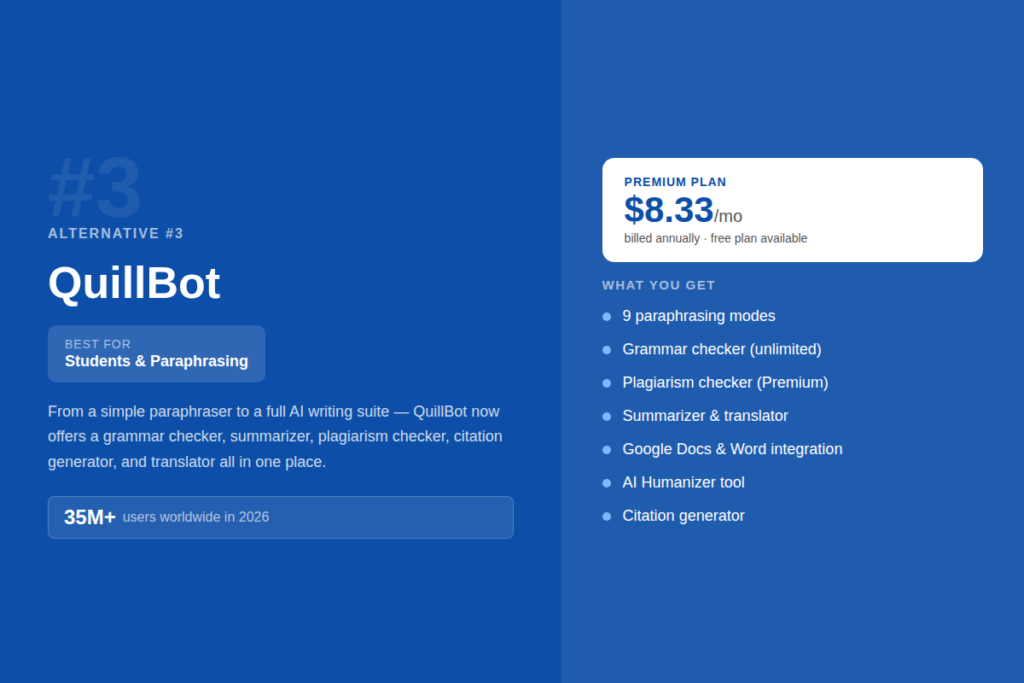
Ideal for: Students, ESL writers, bloggers and those who require rapid paraphrasing.
Pros: Strong free plan, multiple paraphrasing modes, integrates with Google Docs and MS Word, affordable premium.
Cons: Free paraphrasing limited to 125 words, AI writing feature not as strong as dedicated tools.
Price: $8.33/month (annual Premium) — less expensive than Wordtune ($13.99/month) and Grammarly ($12/month).
4: Wordtune
Wordtune is designed for busy professionals who want to be able to communicate effectively and efficiently. The best part is its sentence level rewriting feature, which will highlight any sentence you select, and immediately provide you with more polished and intelligent wordings. It can shorten, expand, alter the tone and/or rewrite your content with one click.
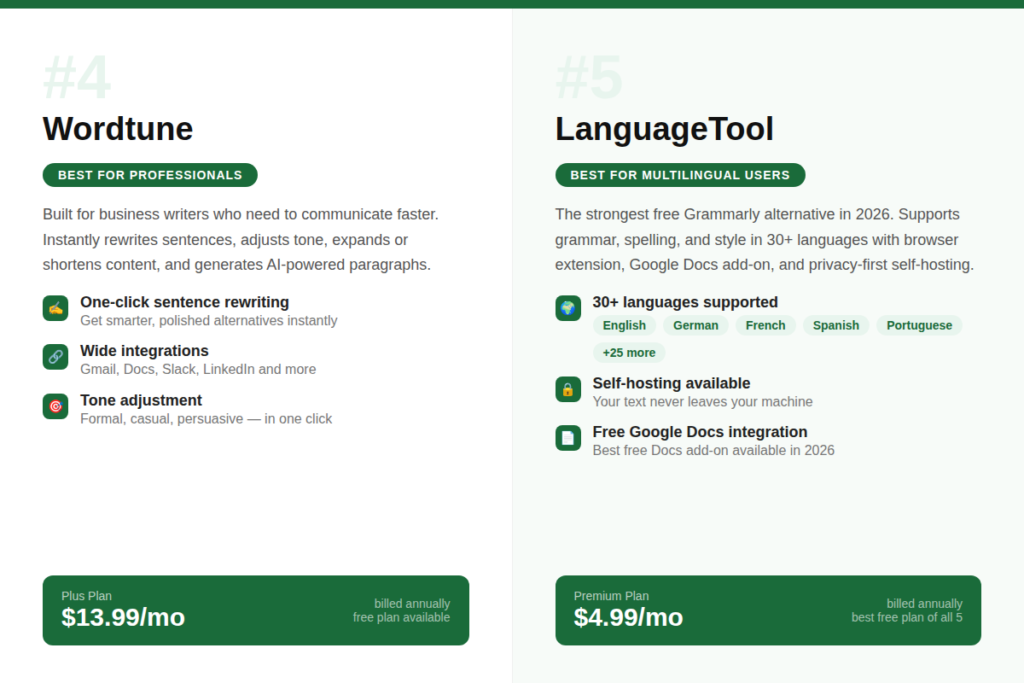
The standout aspect of Wordtune in 2026 is its ability to generate content with AI. It can be used to create full paragraphs from scratch, to summarize lengthy documents, and even to provide you with facts and examples generated by the AI, to support your writing. It works seamlessly with Gmail, Google Docs, Slack, LinkedIn and other apps, and it’s one of the best options for anyone who writes on many platforms during the day.
Ideal For: Business Professionals, Marketers, Emails, Reports or Social Content Writers.
Pros: Excellent sentence rewriting, desktop apps available, wide integration support, tone adjustment.
Cons: Free plan is quite limited, grammar checking is relatively basic compared to other tools.
Price: USD 13.99/month (Plus plan billed annually).
5. LanguageTool
LanguageTool is the strongest free Grammarly alternative available in 2026. It supports grammar, spelling, and style checking across more than 30 languages and dialects — making it the obvious choice for anyone who writes in a language other than English. It works as a browser extension, Google Docs add-on, and desktop app, so it fits into most writing workflows without disruption.
For privacy-conscious writers, LanguageTool also offers a self-hosted option where your text never leaves your own machine. The free plan covers most everyday writing needs and allows up to 20,000 characters per check. It may not have the AI rewriting depth of QuillBot or ProWritingAid, but for grammar and multilingual support, nothing comes close at this price point.
Best For: Multilingual writers, ESL users, privacy-focused professionals, and budget-conscious users.
Pros: 30+ languages supported, generous free plan, Google Docs integration, self-hosting option.
Cons: Less AI-powered rewriting than competitors, free plan has character limits per check.
Pricing: Free plan available; Premium from $4.99/month (billed annually) — one of the most affordable options.
Quick Comparison Table
| Feature | ProWritingAid | Hemingway | QuillBot | Wordtune | LanguageTool |
| Free Plan | ✓ | ✓ | ✓ | ✓ | ✓ |
| AI Rewriting | Partial | ✗ | ✓ | ✓ | Partial |
| Plagiarism Check | ✓ | ✗ | ✓ (Premium) | ✗ | ✗ |
| Multilingual | ✗ | ✗ | ✓ | Partial | ✓ 30+ langs |
| Google Docs | ✓ | ✗ | ✓ | ✓ | ✓ |
| Paid Price/mo | $10 | $1.67* | $8.33 | $13.99 | $4.99 |
Which One Is Right for You?
Choosing the right tool depends on what slows you down when you write. There is no single best tool — only the best one for your specific situation.
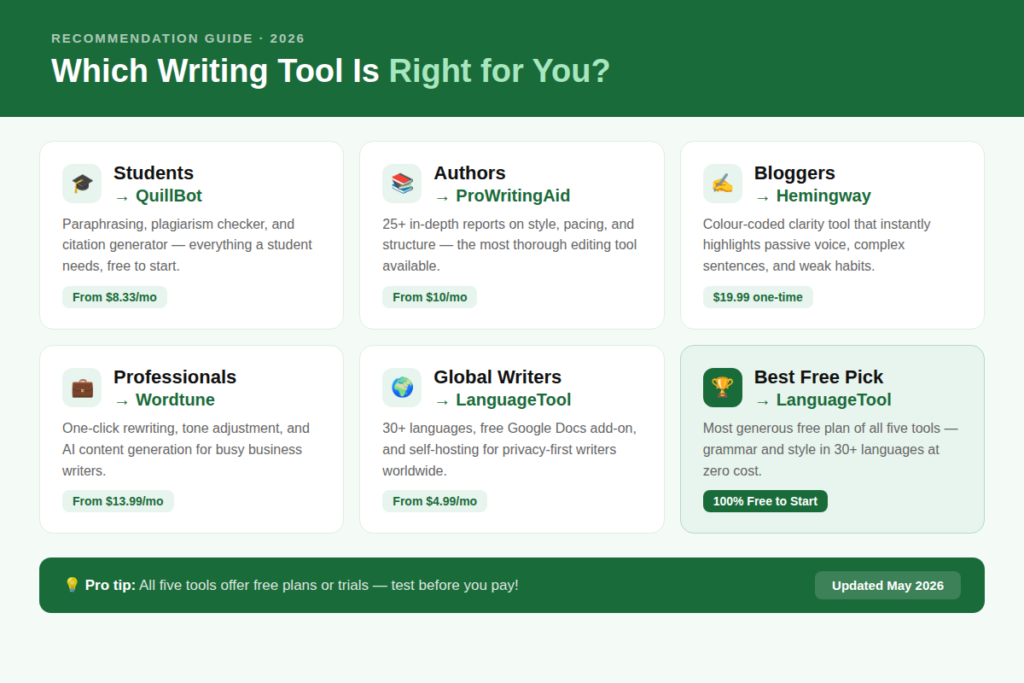
✓ Best for students and paraphrasing → QuillBot
✓ Best for authors and long-form writing → ProWritingAid
✓ Best for bloggers and readability → Hemingway Editor
✓ Best for business professionals → Wordtune
✓ Best for multilingual users → LanguageTool
✓ Best free option in 2026 → LanguageTool
Conclusion
Finding the right writing assistant does not have to be complicated. The Top 5 Grammarly Alternatives covered in this article each solve a different problem — whether that is deep style analysis, multilingual support, AI-powered rewriting, or simply making your writing easier to read. The best part is that all five offer free plans or trials, so you can test them before spending a single dollar. Start with the one that matches your biggest writing challenge, and you may just find it works better for you than Grammarly ever did.
FAQs
1. Is there a completely free Grammarly alternative in 2026?
Yes. LanguageTool offers the most generous free plan among all Grammarly alternatives. It supports 30+ languages, integrates with Google Docs and most browsers, and covers grammar, spelling, and style checks with no word count limit per session (up to 20,000 characters per check). QuillBot and ProWritingAid also have usable free tiers.
2. Which Grammarly alternative is best for academic writing?
QuillBot is the top pick for academic writing. It includes a plagiarism checker, citation generator, summarizer, and paraphrasing tool — all the features a student or researcher needs. ProWritingAid is also excellent for longer academic documents where deep structure and style feedback matter.
3. Can these tools replace a human editor?
Not entirely. These tools are excellent at catching grammar errors, improving readability, and suggesting better phrasing. However, a human editor brings contextual understanding, creative judgment, and subject-matter expertise that no AI tool fully replicates yet. Think of these tools as a first-pass editor that helps you get your draft into great shape before a human reviews it.
4. Is QuillBot better than Grammarly?
It depends on what you need. QuillBot is better than Grammarly for paraphrasing, rewriting, and summarizing content. Grammarly is stronger for real-time grammar suggestions and tone detection. If your main need is to rephrase or restructure text, QuillBot wins. If you want inline grammar corrections as you type, Grammarly has the edge — though at a higher price.
5. Which alternative works best with Google Docs?
LanguageTool has the best free Google Docs integration in 2026. Its add-on works smoothly inside Google Docs without requiring a paid plan. ProWritingAid and QuillBot also offer Google Docs support, but some advanced features are locked behind their premium tiers. Wordtune’s Google Docs integration is also strong for professionals who need rewriting assistance directly in their documents.